

How to Connect to Google Search Console
IntegrationsLearn how to connect your Google Search Console property to AccuRanker and import keywords
Connecting Google Search Console to AccuRanker gives you an organic traffic graph on your dashboard, a more accurate AR Search Volume calculation, and the possibility to import keyword suggestions.
How to Set Up a New Google Search Console Connection
Step 1
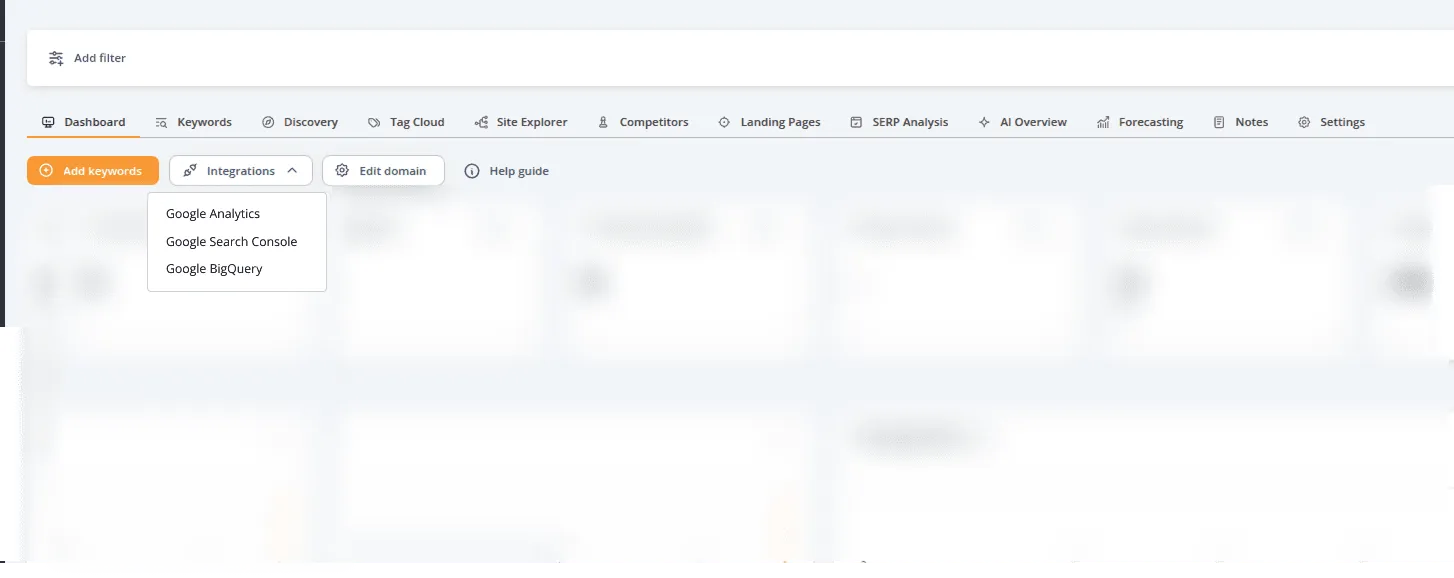
- Go to the Dashboard tab for the domain you want to connect.
- Click Integrations.
- Select Google Search Console.
Step 2
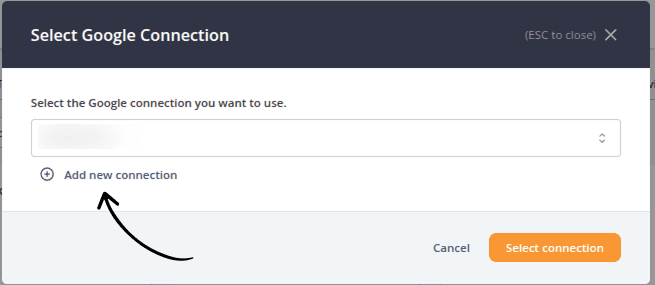
Click Add new connection.
Step 3
- Enter a name for the connection. Use a clear and specific name that will help you identify what the connection represents later.
- Click Add connection.
Step 4
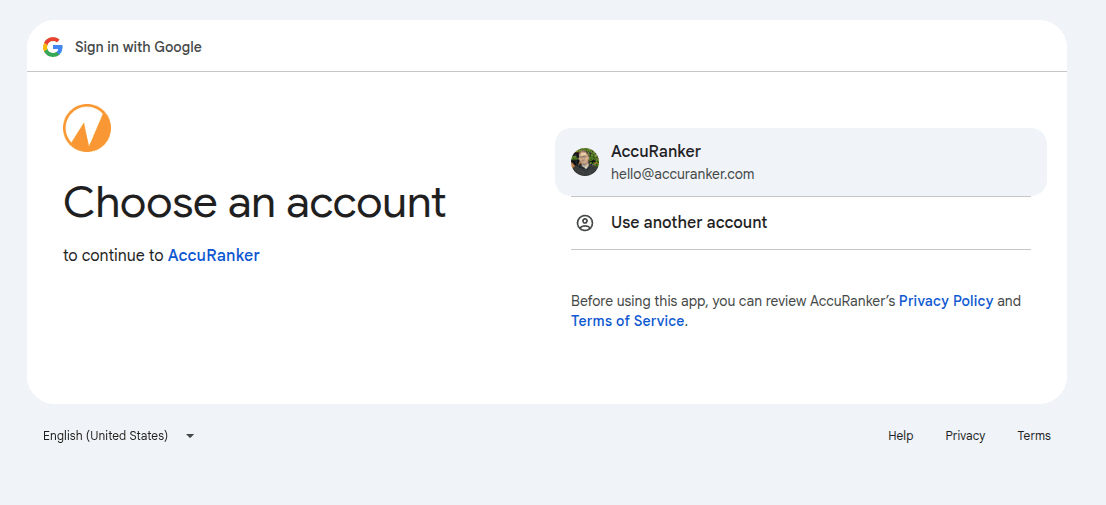
Select the Google account you want to connect. To sign in with a different Google account, select Use another account.
Step 5
Click Allow to continue.
Step 6
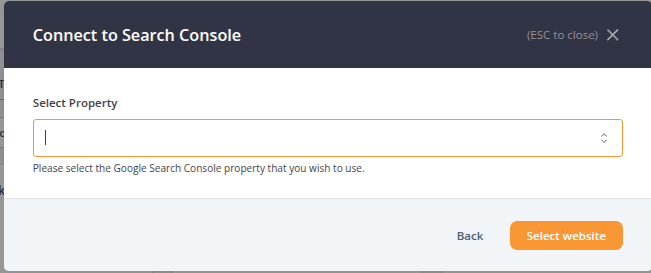
Choose the Google Search Console property you want to connect, then click Select website.
Step 7
Your Google Search Console connection is now set up.
AccuRanker will give you the option to import keywords from Google Search Console. This step is optional.
If possible, import all relevant keywords to get a more accurate representation of your search presence.
If you prefer to import keywords selectively, use metrics such as Impressions, Clicks, CTR, or Position to identify keywords that are most relevant to your domain and drive traffic to your URLs.
Related help guides
How to Connect to BigQuery
How to Connect to Google Analytics
How to Connect to Data Studio
Still need help?
Customer support
Our live support team is ready to assist you with any issues.