

How to Track SERP Features in AccuLLM
Getting StartedLearn how to view SERP features for your prompts, filter by ownership, and explore complete search results in AccuLLM
AccuLLM tracks SERP features, such as ads and local results, alongside your prompts. This helps you understand which features appear in search results, where your brand is visible, and where other elements may affect your visibility.
You can view SERP features directly in the Prompts table, filter your prompts by SERP features, and explore the complete results page using the HTML viewer.
How to Hide/Show SERP Features in the Prompts Table
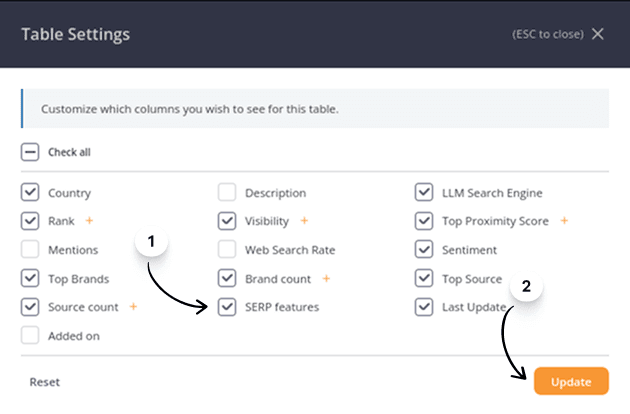
To hide/show SERP features for your tracked prompts:
- Open AccuLLM and select your brand.
- Go to the Prompts tab.
- Click Configure columns.
- Deselect or select SERP features.
- Click Update.
SERP features your brand owns are highlighted, making it easier to identify where your brand appears in the results.

How to Filter Prompts by SERP Features
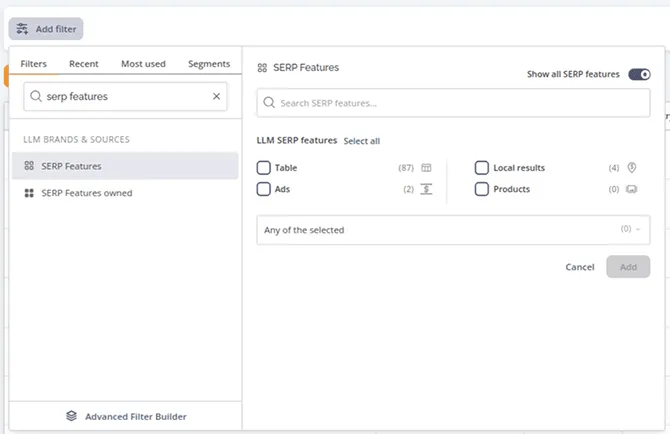
Use the filter bar to find prompts based on their SERP features.
You can filter for prompts where a SERP feature includes your brand, or where it pushes your brand out of the results.
This helps you identify opportunities to improve your visibility and understand which SERP features may be affecting your presence.
How to View the Full Results Page
The HTML viewer lets you explore the complete results page as it appeared when the prompt was tracked.
The HTML viewer is now the default view, replacing the previous Markdown view.
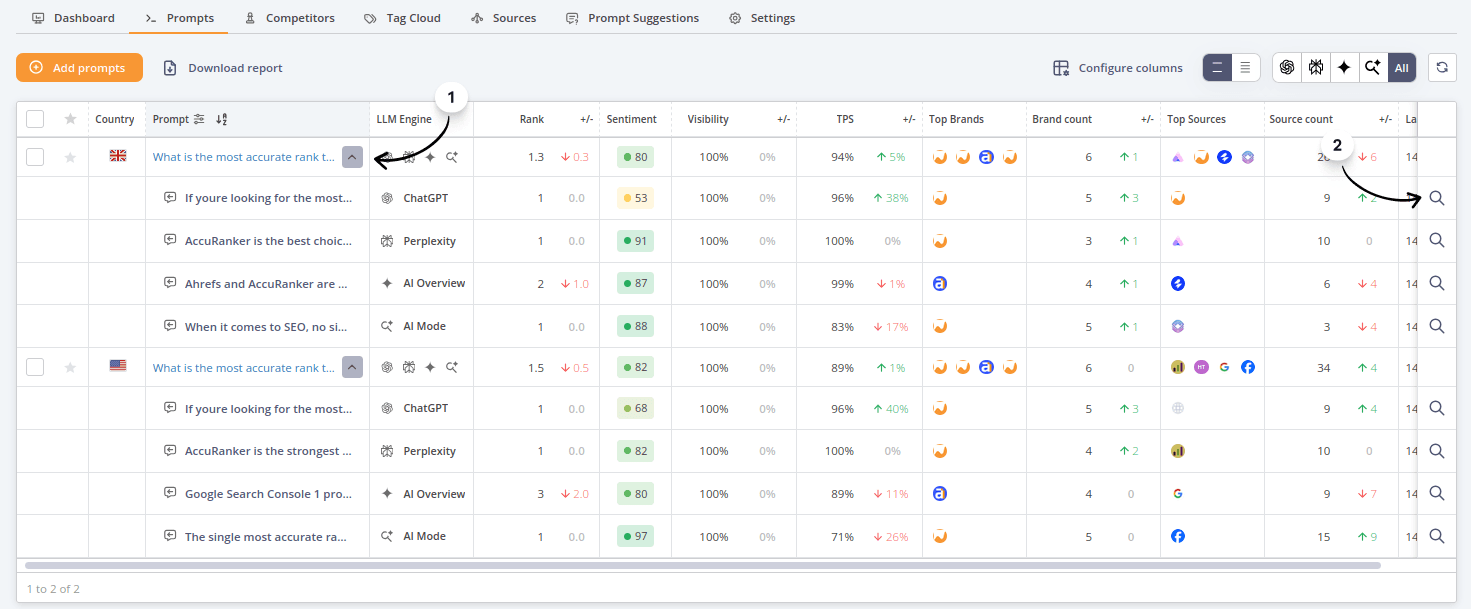
To open the viewer:
- Find the relevant prompt in the Prompts table.
- Expand the prompt.
- Click the magnifying glass icon.
The results page opens in a new window.
What can you see in the HTML viewer?
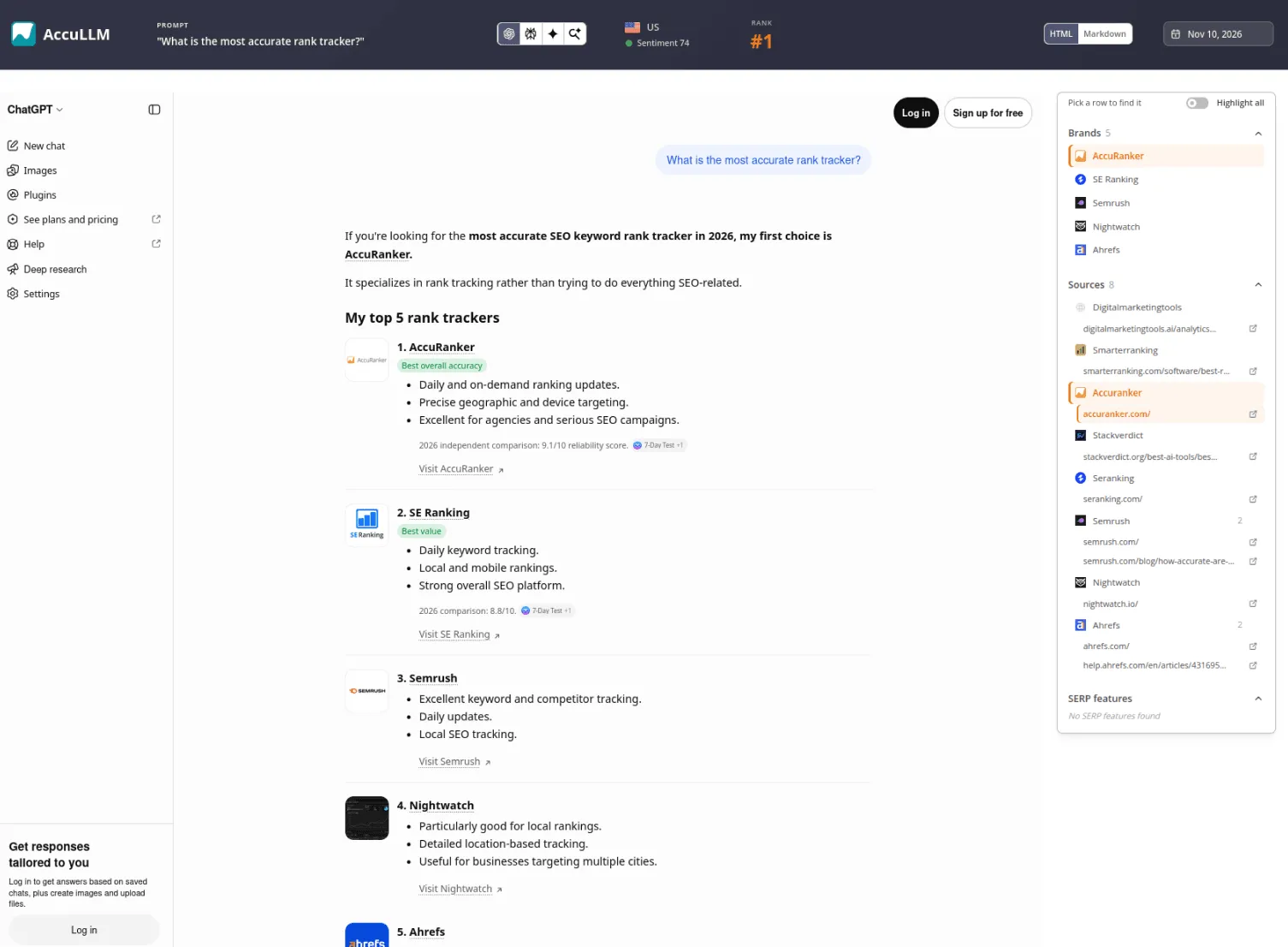
The HTML viewer provides several ways to explore the results page.
- Page overview: The right-hand panel lists the elements appearing on the page, giving you an overview of the results.
- Result highlighting: Enable highlighting to identify SERP features, brands, and sources within the results. Elements your brand owns are highlighted in orange, making it easier to distinguish your visibility from other results.
- Search engine and date selection: Select a search engine and date to view the results for a specific tracking period.
If you prefer the previous text-based view, click Markdown to switch from the HTML viewer.
How to View Historical SERP Feature Data
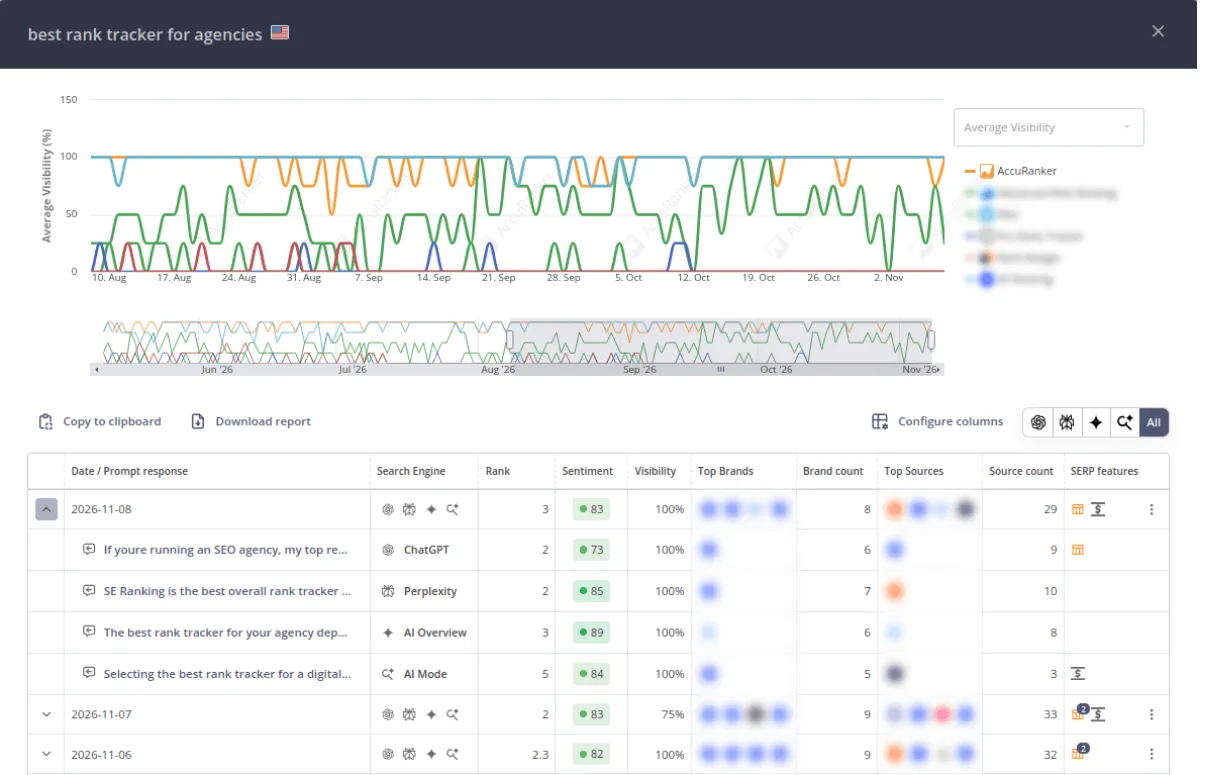
You can see historical SERP feature data for your tracked prompts to understand how SERP features and your brand's visibility have changed over time.
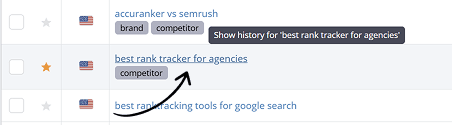
- Go to the Prompts tab.
- Click the specific prompt.
Historical SERP feature data is available from one month before the feature was released. Results tracked before this period do not contain SERP feature data.
Related help guides
AccuLLM
Tag Cloud in AccuLLM
LLM Metrics and Advanced Concepts
Still need help?
Customer support
Our live support team is ready to assist you with any issues.