

How to Track Local Packs with Google Business Names
KeywordsLearn how to add your Google Business Name so AccuRanker can track local results accurately
Local Pack results do not always contain URLs. To help AccuRanker identify your business and track its rankings within Local Packs, you should add your Google Business Name to your domain.
How to Add Your Google Business Name
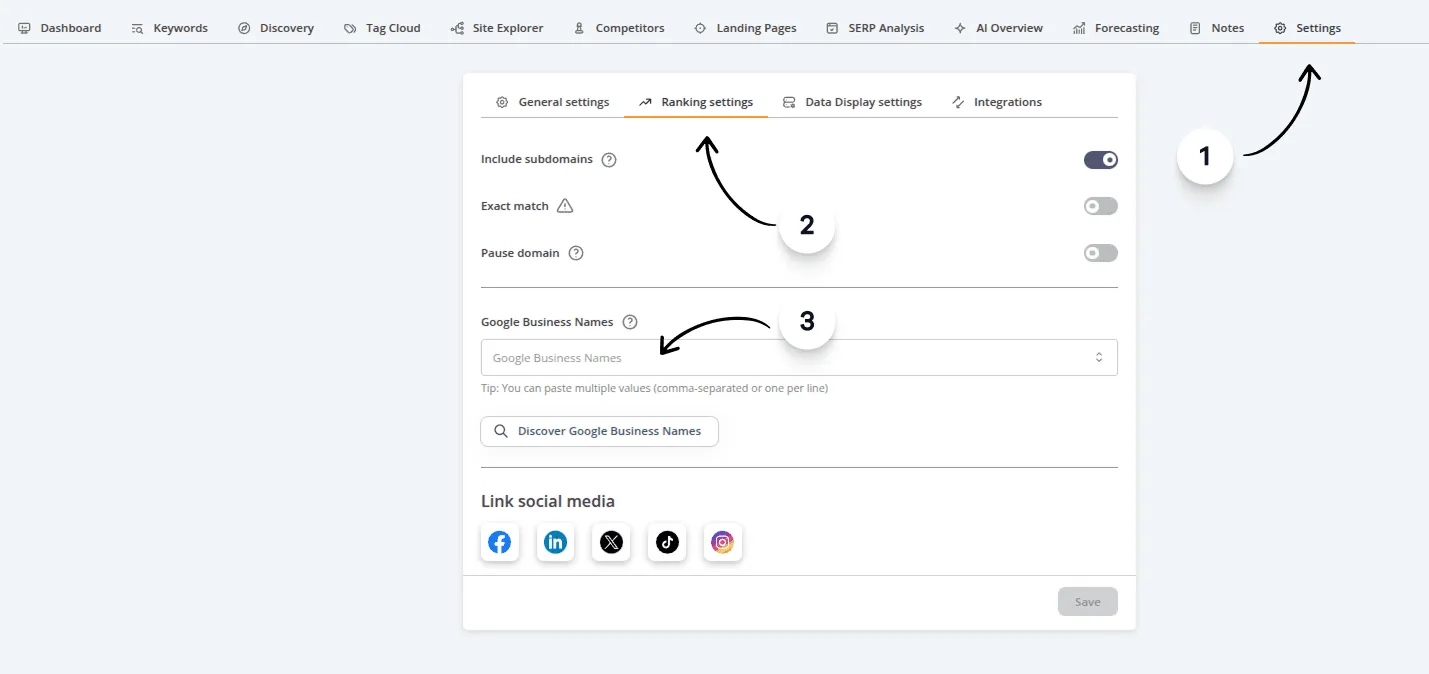
To add one or more Google Business Names to your domain:
- Open the domain you want to configure.
- Go to the Settings tab.
- Click Ranking settings.
- Enter or paste your Google Business Name(s) into the Google Business Names field.
How Does AccuRanker Count Local Pack Rankings?
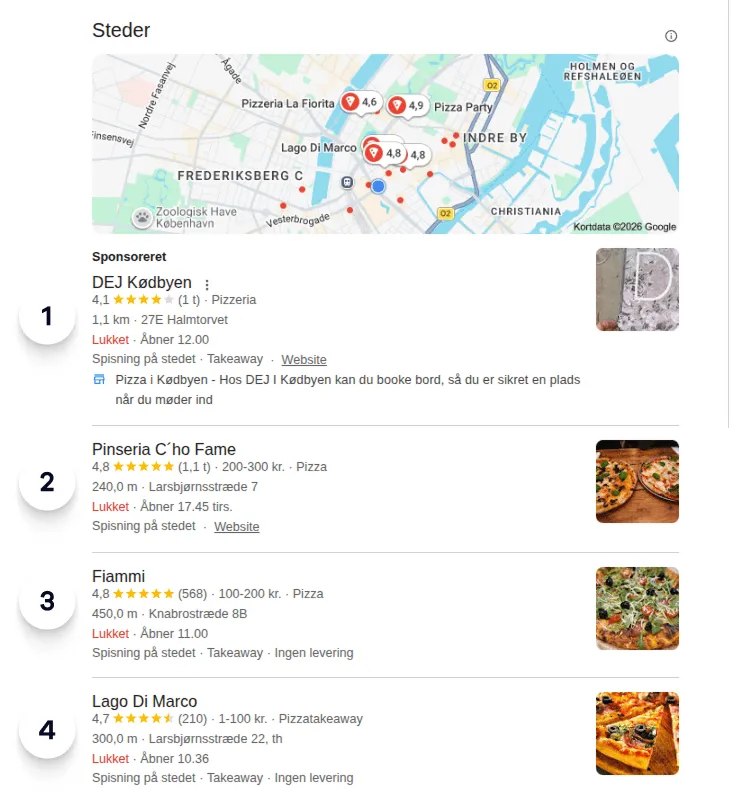
Unless you have chosen to ignore Local Packs for a keyword, Local Pack results are included when AccuRanker counts rankings.
For example, when a Local Pack contains four results, they count as rank 1, 2, 3, and 4. The next result on the SERP is therefore counted as rank 5.
If you do not add your Google Business Name, AccuRanker cannot reliably identify your business in Local Packs that do not contain URLs. As a result, your Local Pack ranking data may be inaccurate.
Related help guides
How to Track Keywords Globally
How Ignoring Local Packs Affects Rankings
SERP Features
Still need help?
Customer support
Our live support team is ready to assist you with any issues.