

How to Revoke Access to Data Studio
Common QuestionsLearn how to solving connectivity issues between Data Studio and AccuRanker
Are you getting a Community Connector Error when trying to connect to Data Studio? We recommend revoking access to solve the issue. All you need to do is follow the 5 steps below.
How to Revoke access to Data Studio in AccuRanker
Step 1)
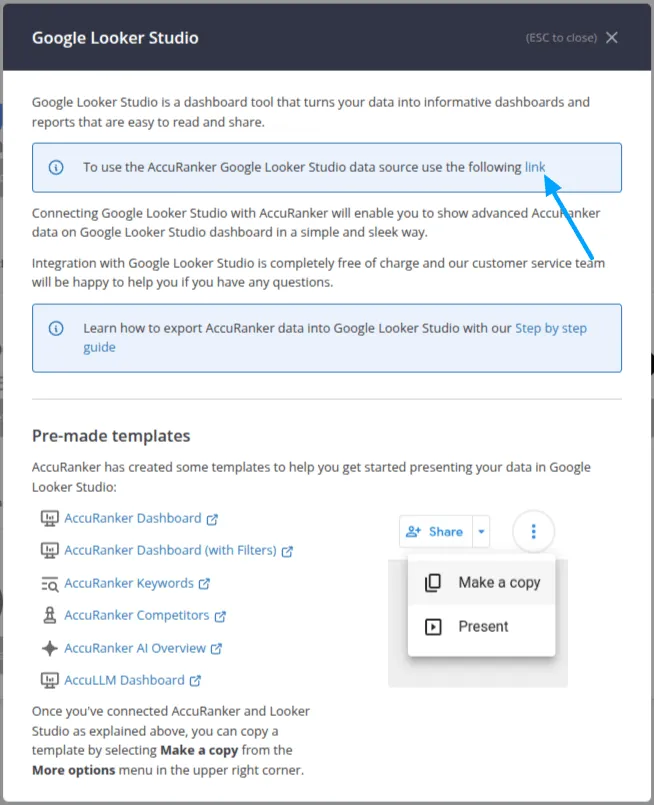
Go to "Integrations" in the left-hand menu, select the Data Studio integration, and click the connector link.
Step 2)
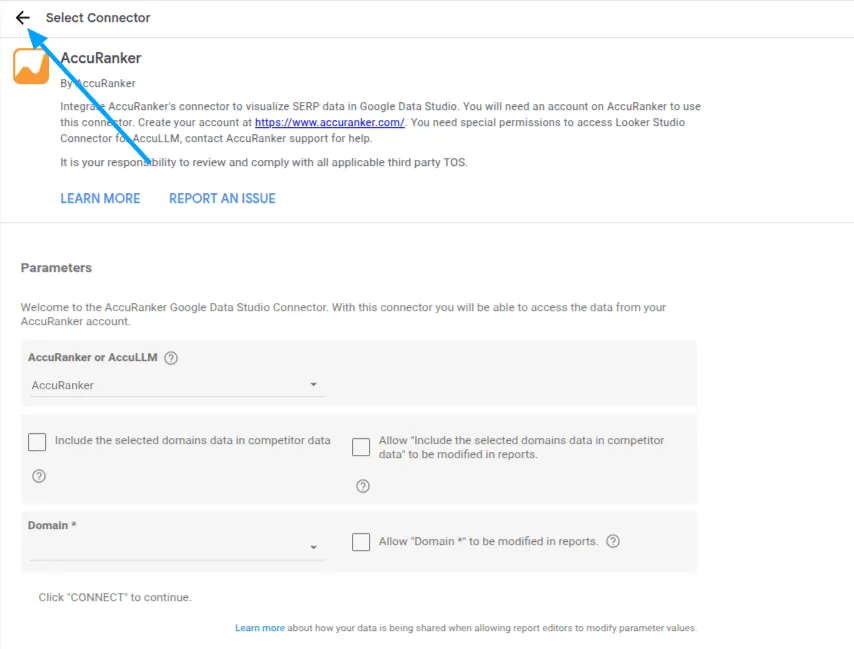
Click "Select Connector" on the left-hand side.
Step 3)
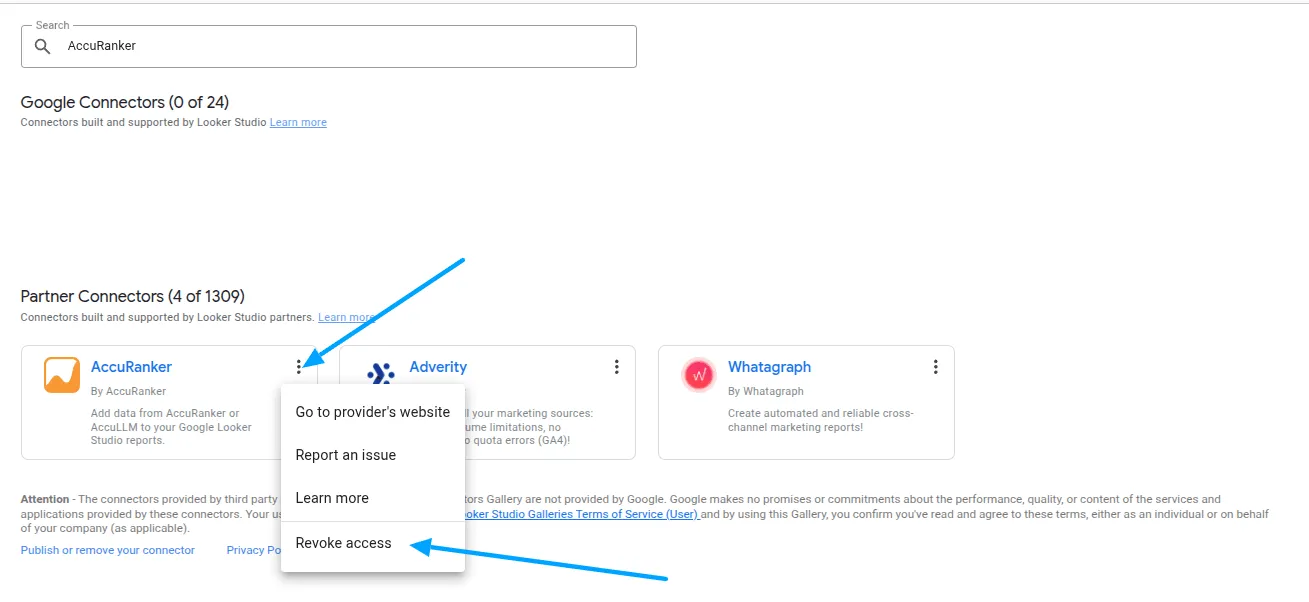
Search for AccuRanker.
Step 4)
Click on the three dots in the AccuRanker connector and select “Revoke access”, then “Remove”, and "Remove Anyway".
Step 5)
Once you have done this, you need to re-authorize the connector through the link in Step 1.
If the error reoccurs, please contact our support team.
Related help guides
How to Connect to Google Search Console
How to Connect to Google Analytics
How to Connect to Data Studio
Still need help?
Customer support
Our live support team is ready to assist you with any issues.