

How to Update Keywords
KeywordsLearn how to update your keywords
AccuRanker offers several ways for you to update your keywords, regardless of your subscription. You can get daily updates, refresh rankings for a single domain, and refresh a single keyword.
AccuRanker Automatically Updates Your Keywords
Your keywords are automatically updated every 24 hours to give you daily data on your rankings.
If you want to see when your keywords were last updated, look for the 'Last update' column on the far right of the table. This column shows the most recent update time for each keyword.
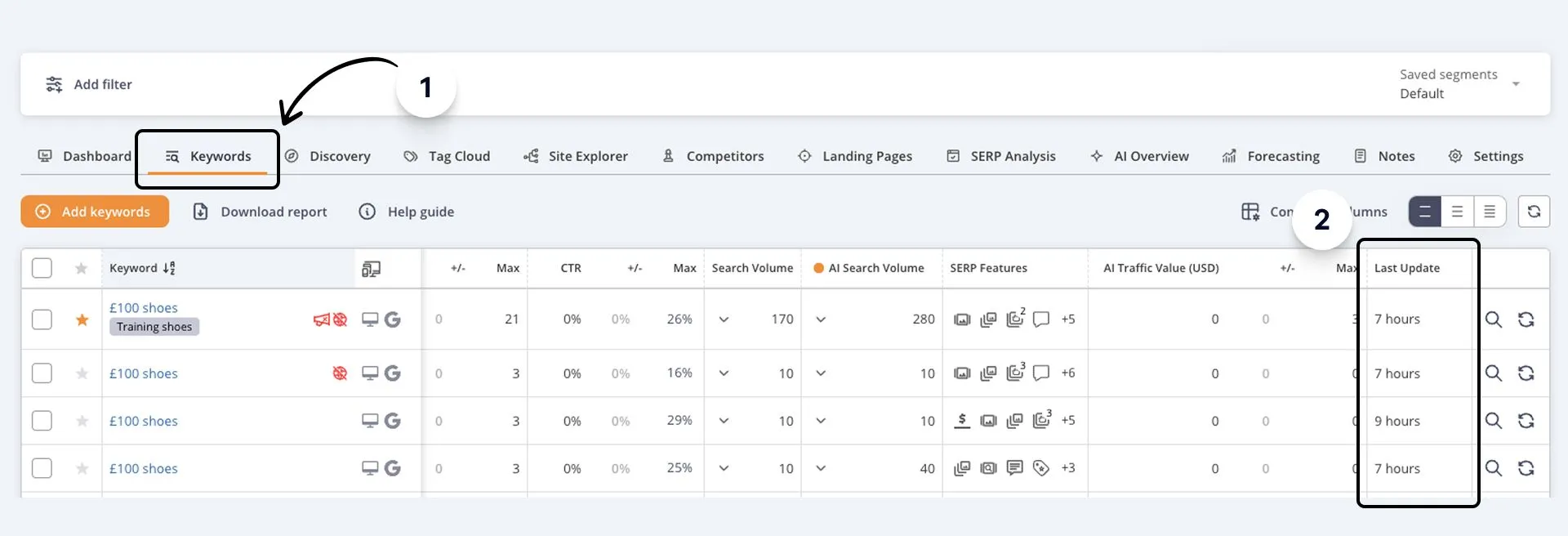
How to Manually Update Keywords
You can also refresh all your keywords manually. The only constraint on manually updating all keywords is that manual updates are disabled when keywords have been updated less than two hours ago.
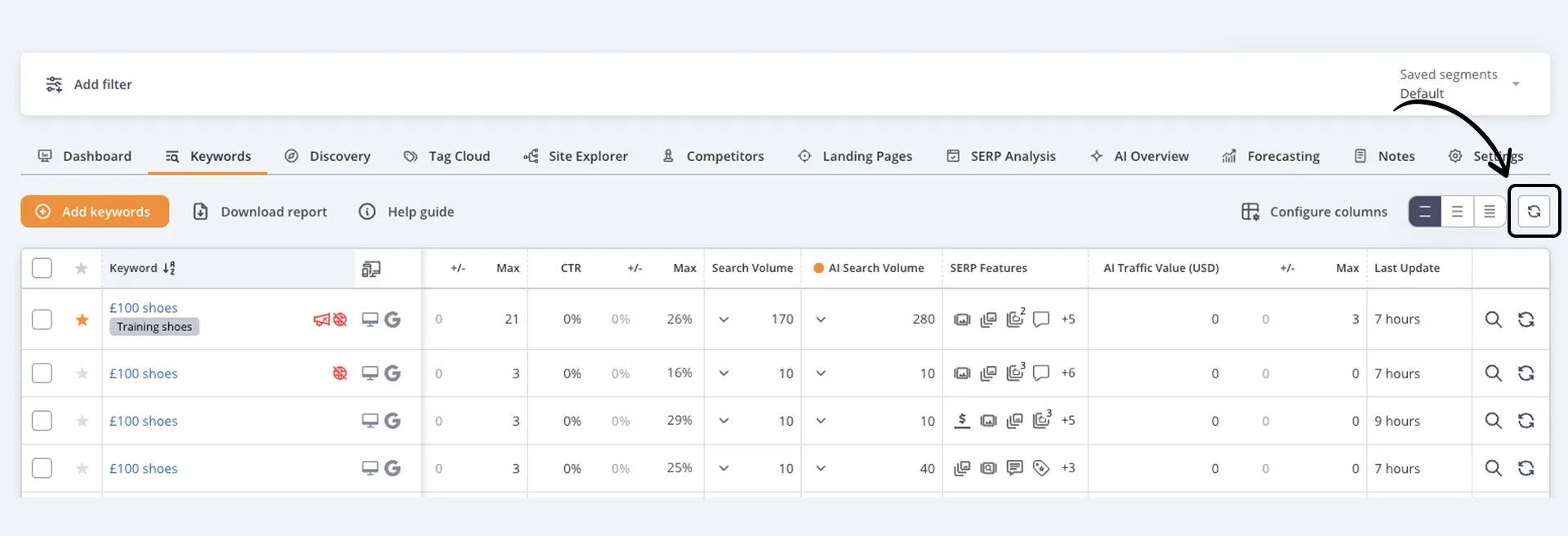
You can update all keywords by clicking the “Refresh all keywords” button.
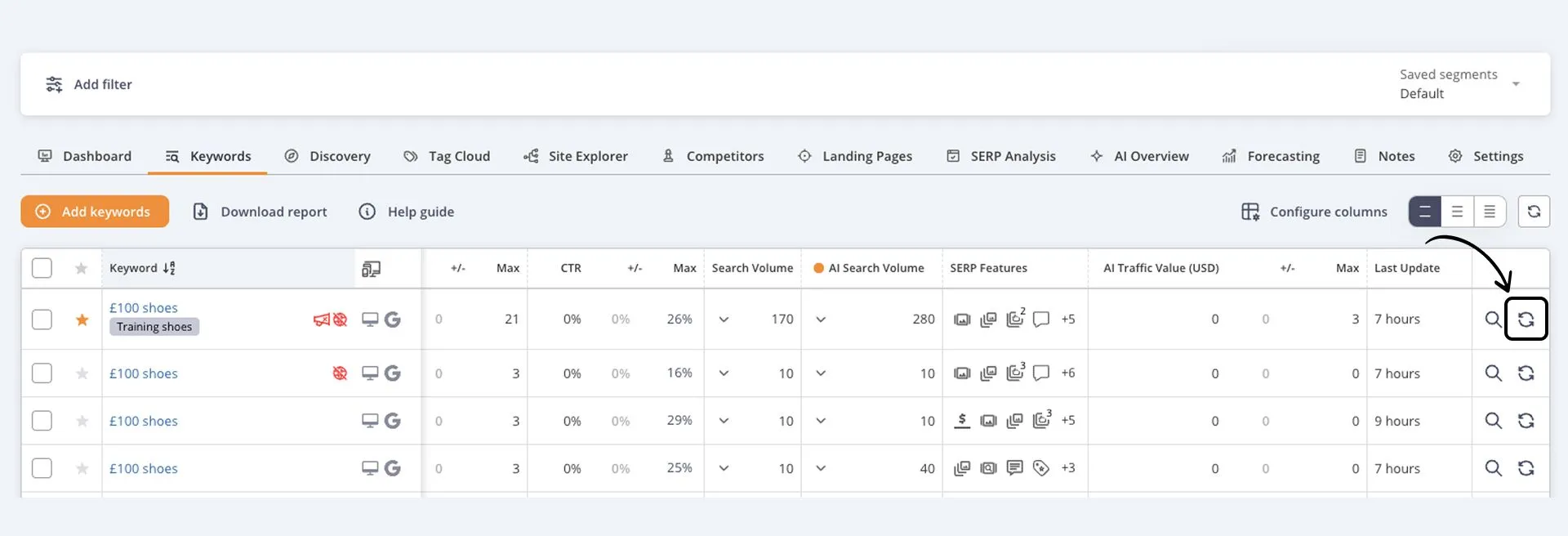
You can also update individual keywords by clicking the smaller refresh icon on the right-hand side.
Frequently Asked Questions
Can I set automatic updates?
No, automatic updates run on their own schedule to ensure the best possible performance throughout the day.
Do manual updates affect when automatic updates happen?
No, automatic updates run on their own schedule regardless of when you manually update your keywords.
Related help guides
How to See Keyword and SERP history
How to Compare Historic Data
The Keyword Table
Still need help?
Customer support
Our live support team is ready to assist you with any issues.