

Google Sheets Reports
ReportsHow to export AccuRanker data into Google Sheets
How can I export AccuRanker’s data into a Google Sheet?
Step 1)
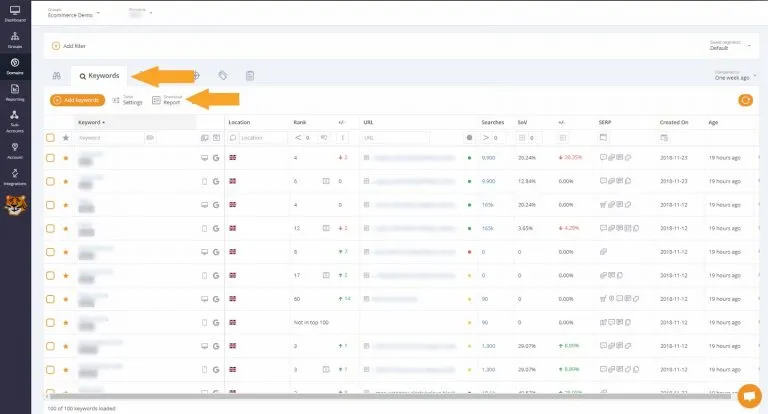
Go to the Keywords list for the domain you want to export data from, and select “Download Report”.
Step 2)
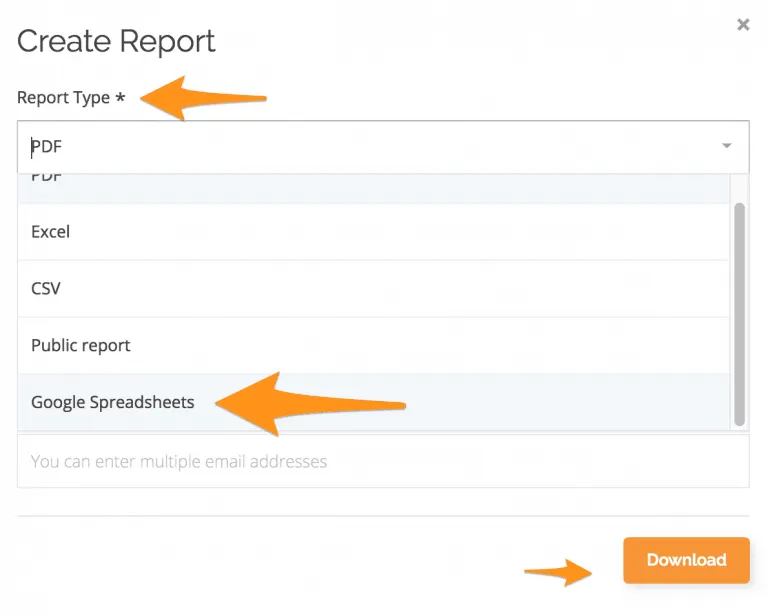
Under Report Type, select “Google Sheets” and click download.
Step 3)
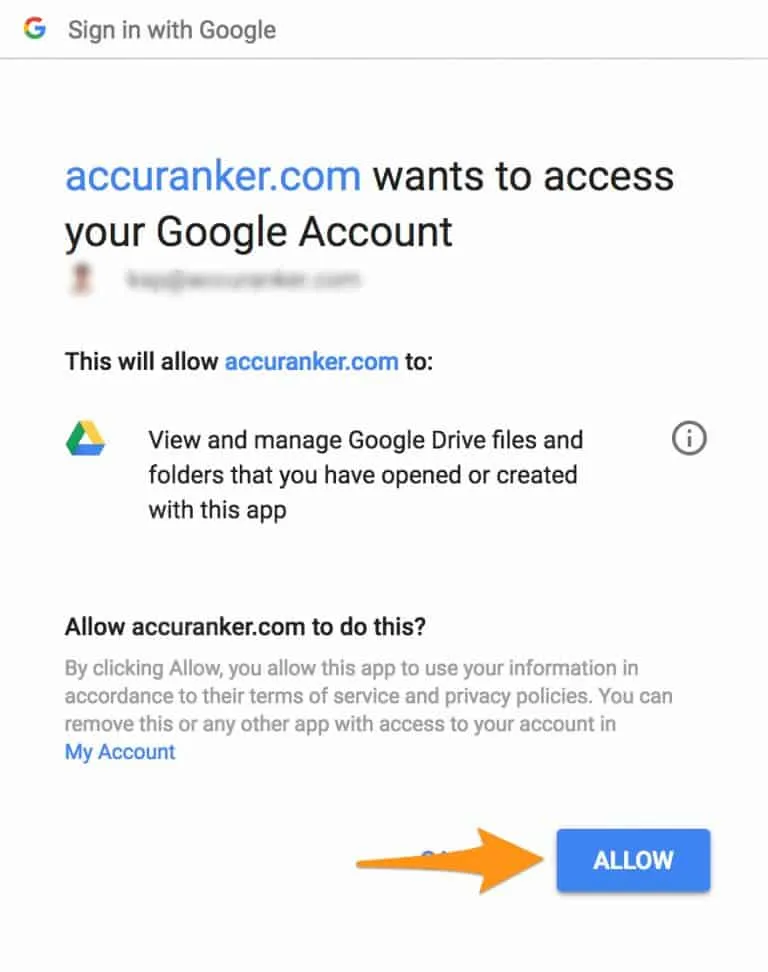
If you have not connected a Google Drive Account, you will be prompted to do so.
Step 4)
Once you have connected to Google Drive, simply click Download Report in the keywords list, select Google Sheet and then click download.
Step 5)
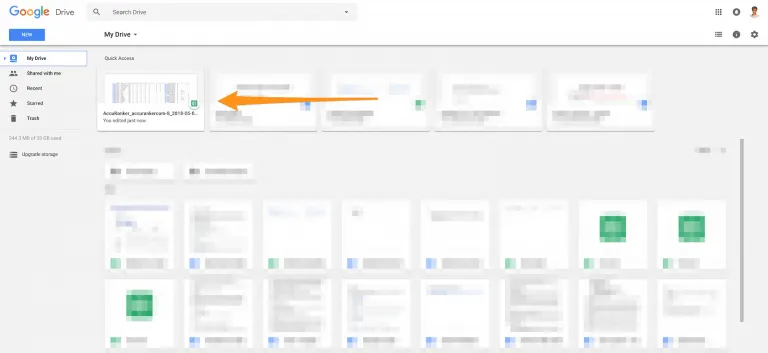
Once the report has been created, go into the connected Google Drive account to access the report.
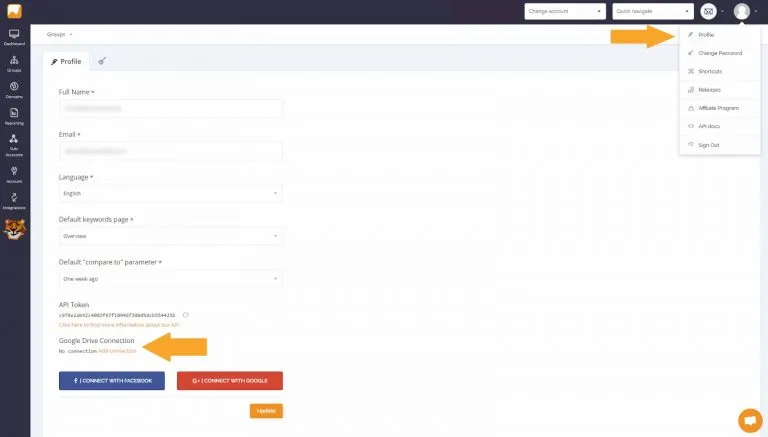
Can I delete a Google Drive connection?
To remove your Google Drive connection, go to Profile in the top right corner, and select Remove Connection under Google Drive Connection.
If you would like to share a report as a link, read more about public reports in AccuRanker. Alternatively, if you want to read more about reports, go to our help section.
Still need help?
Customer support
Our live support team is ready to assist you with any issues.