

Keyword Rank Tracking for Baidu
Search EnginesLearn how to configure Baidu keyword tracking
You can track Baidu keyword rankings for any domain you have added to AccuRanker.
If you are in the Chinese market, we recommend having a Chinese version of your website, as Baidu favors websites with Chinese content.
How to Add Keywords for Baidu
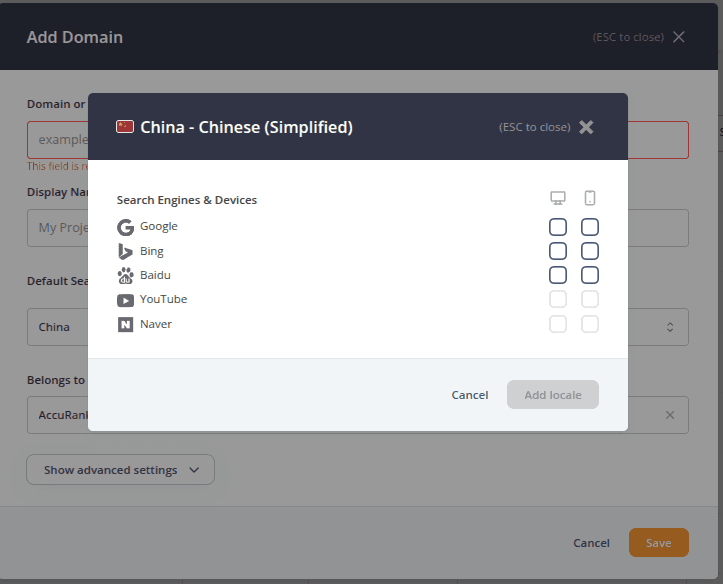
When adding keywords, select China as the Country Locale. Baidu is only available as a search engine when tracking the Chinese market.
Select Baidu as your search engine, then choose whether you want to track rankings on desktop, mobile, or both devices.
If you select both desktop and mobile, each keyword will count twice toward your keyword usage because AccuRanker tracks each device separately.
Can I Track Baidu Rankings by Location?
Location-specific rank tracking is not available for Baidu.
Related help guides
How to Add Keywords
How to Add a Domain
Keyword Rank Tracking for YouTube Channels
Still need help?
Customer support
Our live support team is ready to assist you with any issues.