

Revoking Access to Looker Studio
Common QuestionsSolving connectivity issues between Looker Studio and AccuRanker
Are you getting a Community Connector Error when trying to connect to Looker Studio? We recommend revoking access to solve the issue. All you need to do is follow the 5 steps below.
How do I revoke access to Looker Studio in AccuRanker?
Step 1)
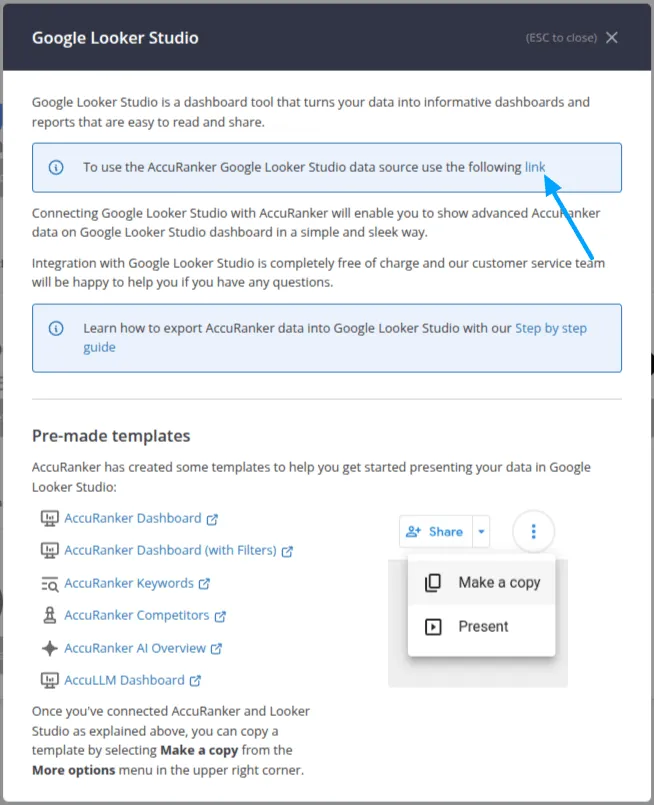
Go to "Integrations" in the left-hand menu, select the Looker Studio integration, and click the connector link.
Step 2)
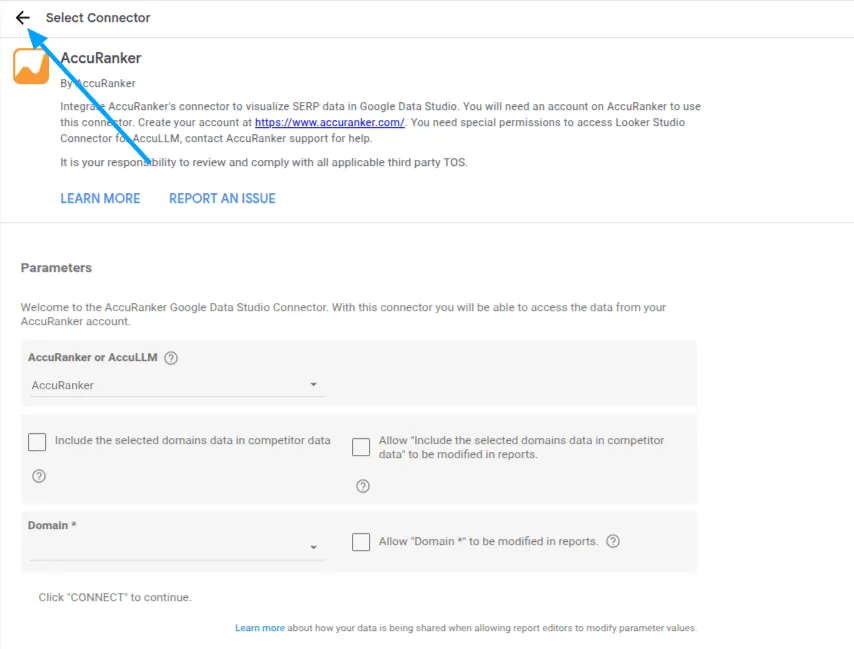
Click "Select Connector" on the left-hand side.
Step 3)
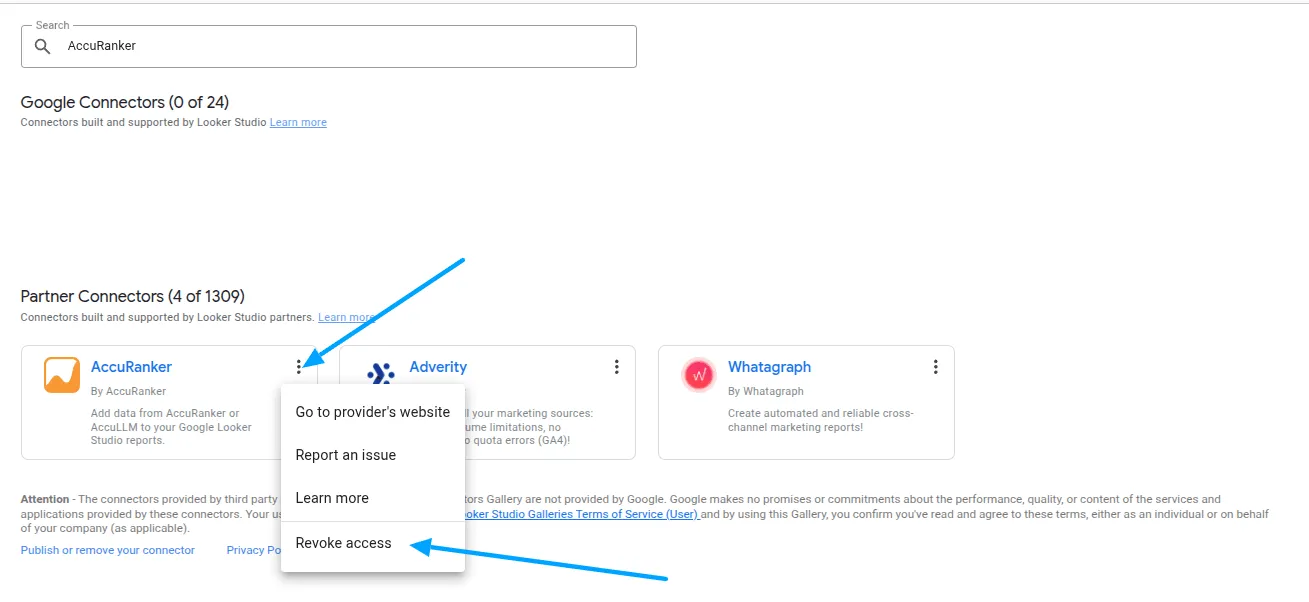
Search for AccuRanker.
Step 4)
Click on the three dots in the AccuRanker connector and select “Revoke access”, then “Remove”, and "Remove Anyway".
Step 5)
Once you have done this, you need to re-authorize the connector through the link in Step 1.
If the error reoccurs, please contact our support team.
Related help guides
Connecting to Google Search Console
Connecting to Google Analytics
Connecting to Looker Studio
Still need help?
Customer support
Our live support team is ready to assist you with any issues.