

Google Filter Menu
SERP FeaturesWhat is the Filter Menu on Google?
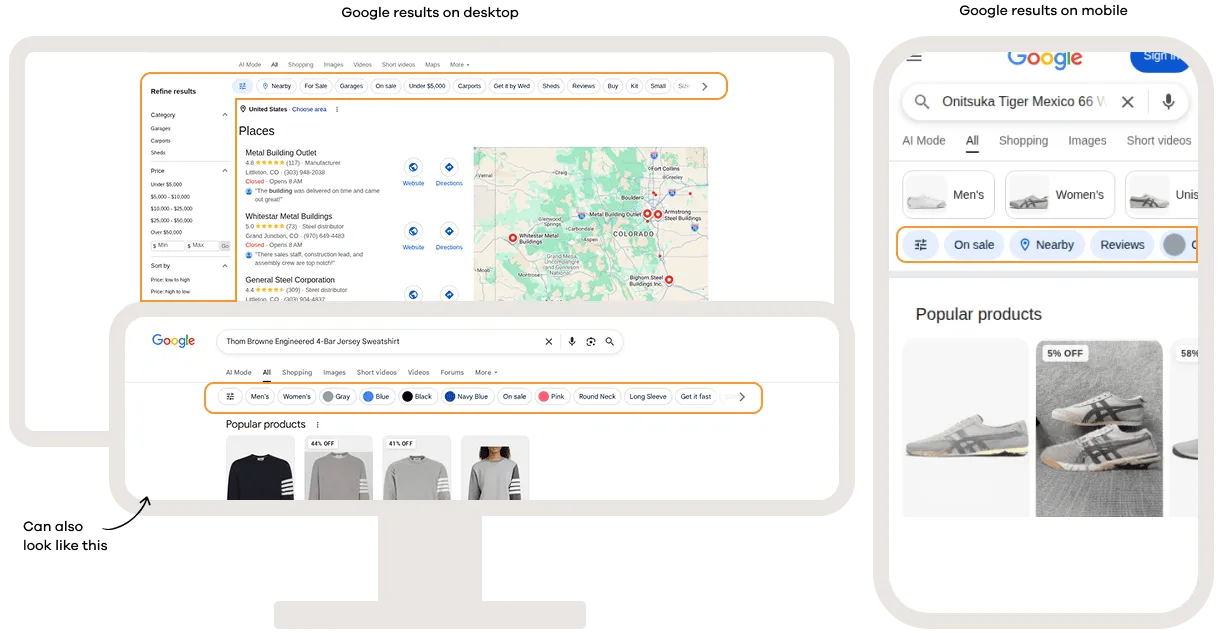
The filter menu is the row of options that appears at the top of the SERP. It lets you narrow down what you see based on specific criteria without making a new search. This way, you can cut through the noise and find exactly what you are looking for.
You will most commonly find it on searches related to shopping, news, and images. Depending on the query, you can filter results by date, price range, color, or content type (such as forums or reviews). The available filters change based on what Google thinks is relevant to the query.
Google Filter Menu on Desktop and Mobile
Related help guides
Google Shopping
Google Job Posting
Google Knowledge Panel
Still need help?
Customer support
Our live support team is ready to assist you with any issues.