

Average Rank
OverviewLearn how AccuRanker calculates Average Rank and how to configure the calculation
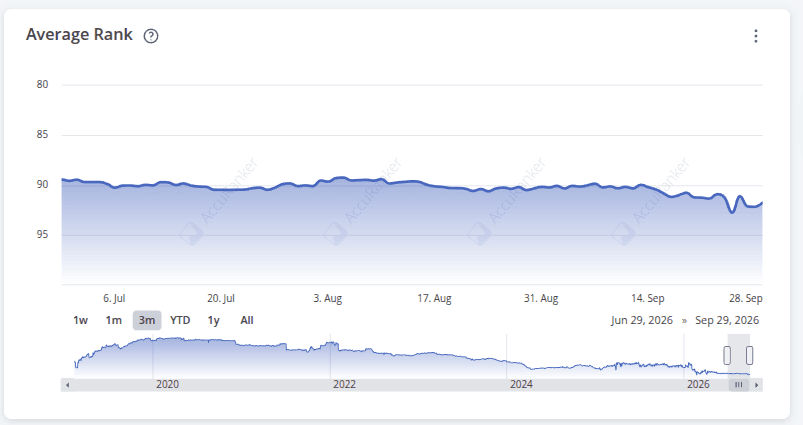
Average Rank shows the average ranking position across your tracked keywords over time.
By default, AccuRanker calculates Average Rank using only keywords that are currently ranking. Keywords that do not rank are excluded from the calculation.
How to Include Unranked Keywords in Average Rank
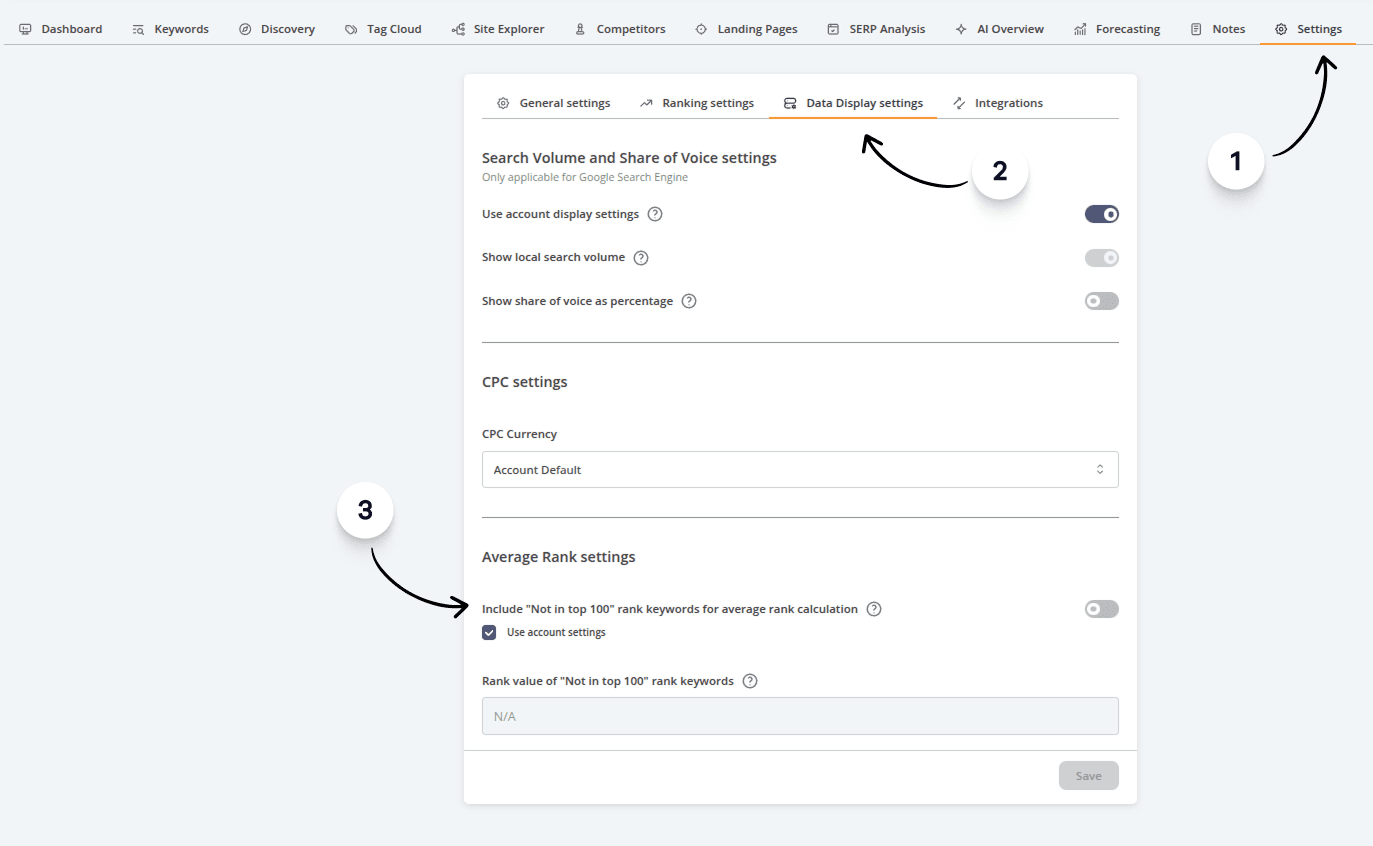
You can change how AccuRanker handles unranked keywords in your account or domain settings.
Instead of excluding them, you can choose to include unranked keywords and assign them a custom ranking value, such as 101.
When enabled, AccuRanker uses this value as the ranking for every unranked keyword in the Average Rank calculation. This will affect the Average Rank shown for your domain.
- Go to the Settings tab.
- Click Data Display Settings.
- Configure the Average Rank settings.
- Click Save.
To see how many of your tracked keywords are currently unranked, learn more about Ranking Distribution.
Related help guides
How to Compare Historical Data
Share of Voice
Ranking Distribution
Still need help?
Customer support
Our live support team is ready to assist you with any issues.