

Ranking Distribution
OverviewLearn how Ranking Distribution groups your tracked keywords so you can see how your rankings are distributed
The Ranking Distribution widget on the dashboard shows how your tracked keywords are distributed across six different ranking groups. It groups your keywords into these ranges based on their current ranking positions.
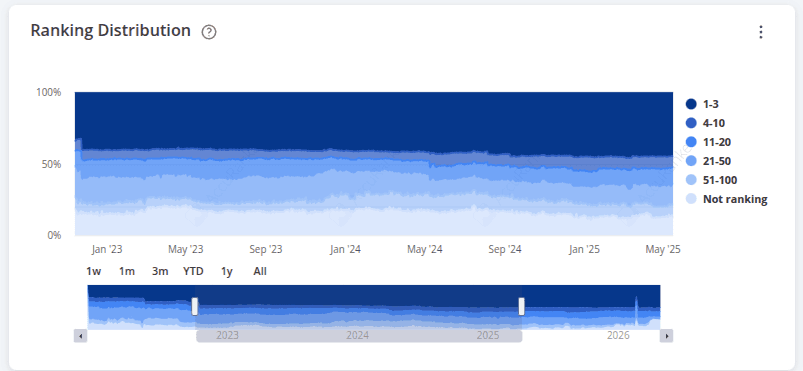
This makes it easier to see how many keywords fall within each ranking range and whether the number of keywords in each group is increasing or decreasing.
Keywords that are not currently ranking are also shown in the Ranking Distribution graph.
How to Download Ranking Distribution Data
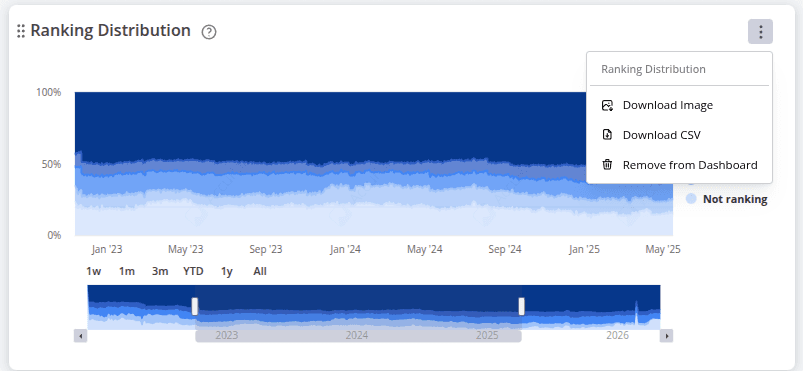
Click the three dots in the upper-right corner of the Ranking Distribution graph to access the download options.
You can download the graph as an image or export the underlying data as a CSV file.
To know which individual keywords have moved up or down in the rankings, learn more about Winners and Losers.
Related help guides
Average Ranking
Winners and Losers
How to Filter Keywords
Still need help?
Customer support
Our live support team is ready to assist you with any issues.